Analytics
Maps, charts and exports of your scans, for the whole workspace or for a single code.
The Analytics page
Open Analytics in the menu. It shows the last 7 days by default.
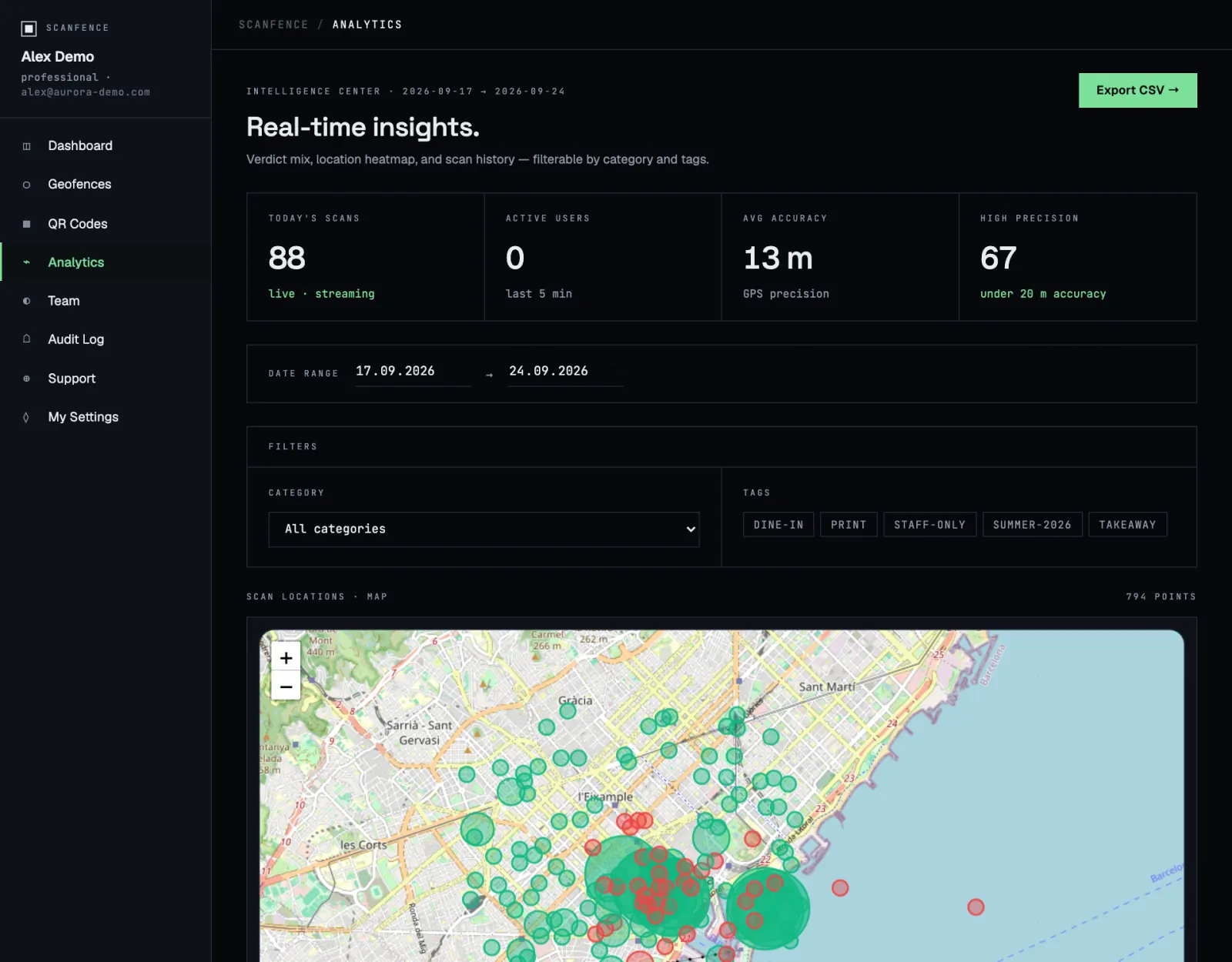
Number tiles
- Today’s scans: scans since midnight, updated live.
- Active users: people who scanned in the last 5 minutes.
- Avg accuracy: how precise the phones’ GPS was on average, in metres. Lower is better.
- High precision: scans with an accuracy better than 20 m.
Date range and filters
Pick a start and end date under Date range. Under Filters, click tags to show only codes carrying them; Clear resets the filters.
Charts
| Panel | Tells you |
|---|---|
| Scan locations · map | Where scans happened. Green dots were inside a zone, red outside, blue mixed or unknown. Nearby scans are grouped; zoom in to split them. |
| Scans over time | Scans per day. Useful to spot the effect of a campaign or an event. |
| Compliance rate | Inside versus outside a geofence, as a ring chart. |
| Location accuracy | How many scans had excellent (under 10 m), good (10–20 m), fair (20–50 m) or poor (over 50 m) GPS. Many poor scans suggest an indoor venue. Consider a larger radius. |
| Live scan feed | The last ten scans as they happen. |
| Scans by geofence · top 10 | Your busiest codes. |
| Rule type distribution | How many scans were routed by a time rule, by location or to the default page. |
| Time-based rule performance | How often each time rule fired. |
Export
Export CSV → downloads all scans in the chosen date range as a spreadsheet: date, time, user, geofence, inside or outside, distance, coordinates, accuracy, altitude, speed, battery and network type. Open it in Excel, Numbers or Google Sheets.
Analytics for one code
On any code’s card, click View analytics. The window shows the code’s total scans, the scans with a location, and when it was last scanned, followed by a map and the most recent scans with their details.
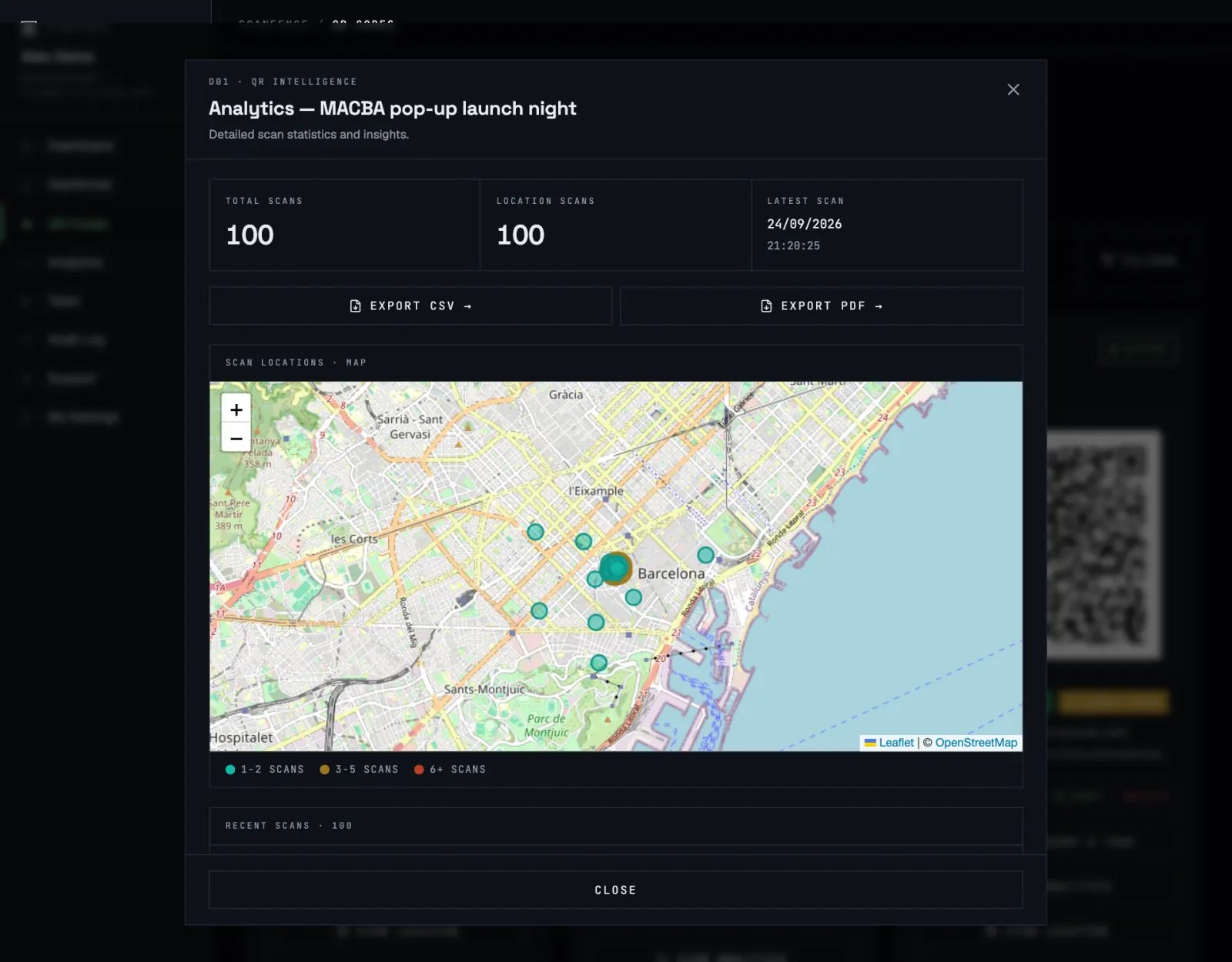
From here you can export the code’s scans as CSV or as a PDF report, handy to send to a client or a manager. The window shows the latest 100 scans; the Analytics page and its export cover more.
What gets counted
- Static standard codes aren’t counted: the phone opens your link without ScanFence in between. Make codes dynamic to track them. See Static or dynamic.
- To keep numbers honest, bursts of repeat scans from the same network are only counted up to 30 per hour per code.