ScanFence Help
How to use ScanFence, the app for QR codes that know where and when they are scanned. Step-by-step guides with screenshots for every screen of the app.
ScanFence makes QR codes you print once and control forever. A code can send people to a different page depending on where they scan it (geofences), when they scan it (time-based rules) and how many people scanned before them (scan limits). You can change all of this later without reprinting anything.
Where to begin
- Quick startFrom sign-up to your first printed code in about five minutes.
- Create a QR codeStandard, geofence and multi-location codes, static or dynamic.
- GeofencesDraw a zone on the map so a code only works on site.
- Time-based rulesLunch menu at noon, dinner menu at night, from the same code.
- AnalyticsSee where, when and how accurately your codes are scanned.
- Team and rolesInvite colleagues as admin, manager or field user.
The app at a glance
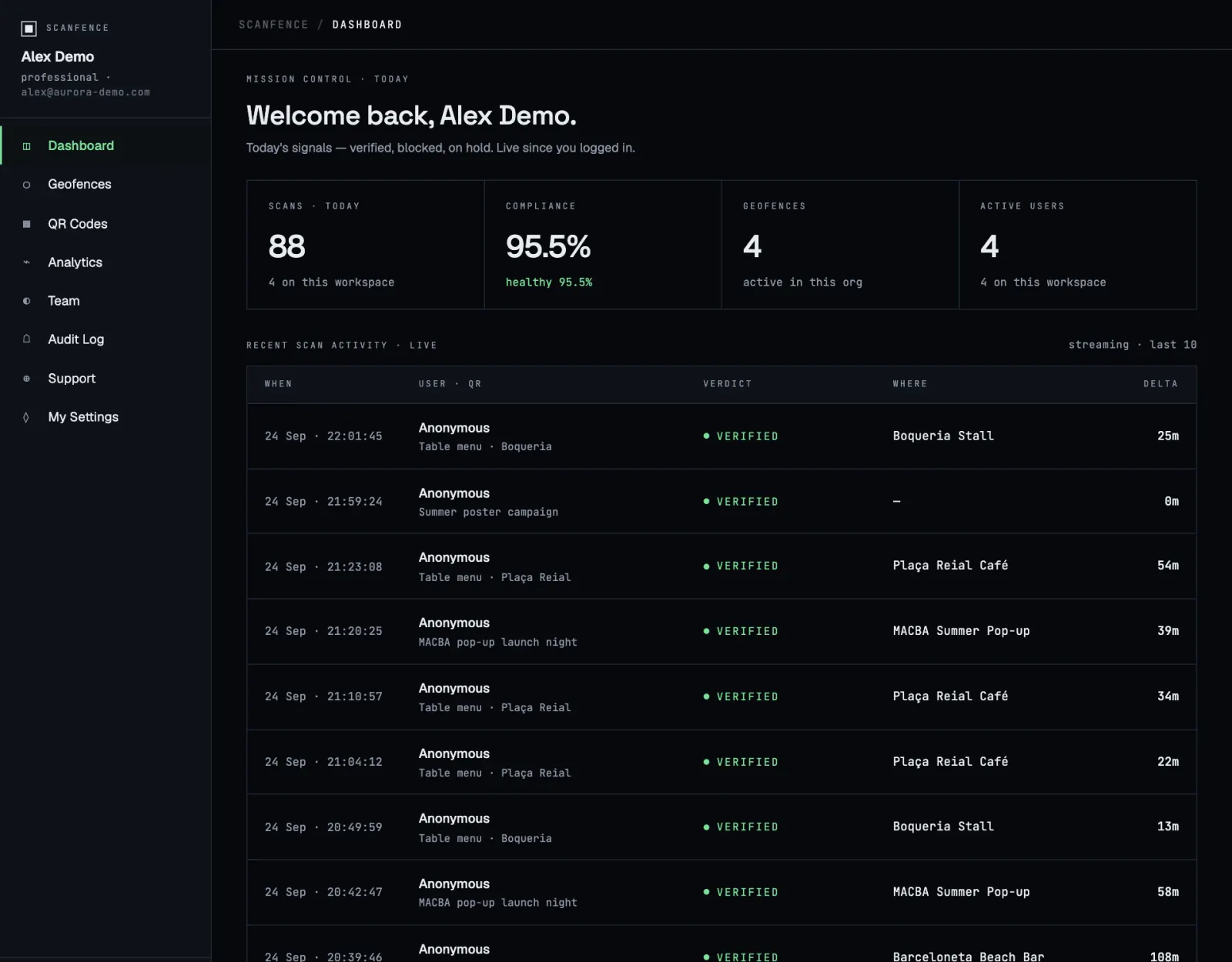
The menu on the left of the app has these sections:
| Section | What you do there |
|---|---|
| Dashboard | Today’s numbers and a live feed of the latest scans. |
| Geofences | Create and edit the zones your codes check against. |
| QR Codes | Create, download, edit, filter and delete your codes. |
| Analytics | Maps, charts and CSV exports of your scans. |
| Team | Invite people and manage their roles. |
| Audit Log | A record of every change made in your workspace. |
| Help | Book paid hands-on help sessions. |
| My Settings | Your plan, billing, password, tags and account deletion. |
At the bottom of the menu you can switch between the dark theme (Mission) and the light theme (Instrument), and sign out. On a phone the menu sits behind the ☰ button in the top bar.
Try before you sign up. The live demo is the real app running on sample data. Click anything you like; nothing is saved and it resets when you reload.
Key ideas in one minute
- Static or dynamic. A static code contains your link directly: fast and simple, but you can never change it and it isn’t counted. A dynamic code points to ScanFence, which forwards the scanner. That’s what lets you edit the destination, count scans and add rules later. More
- Geofence. A circle on the map with a radius between 50 m and 5 km. A geofence code only works for people standing inside it. More
- Workspace. Everything you create belongs to your organisation’s workspace. Colleagues you invite share it according to their role. More