Settings and billing
Your plan and invoices, password, tags, theme and account deletion, all under My Settings.
Open My Settings at the bottom of the menu.
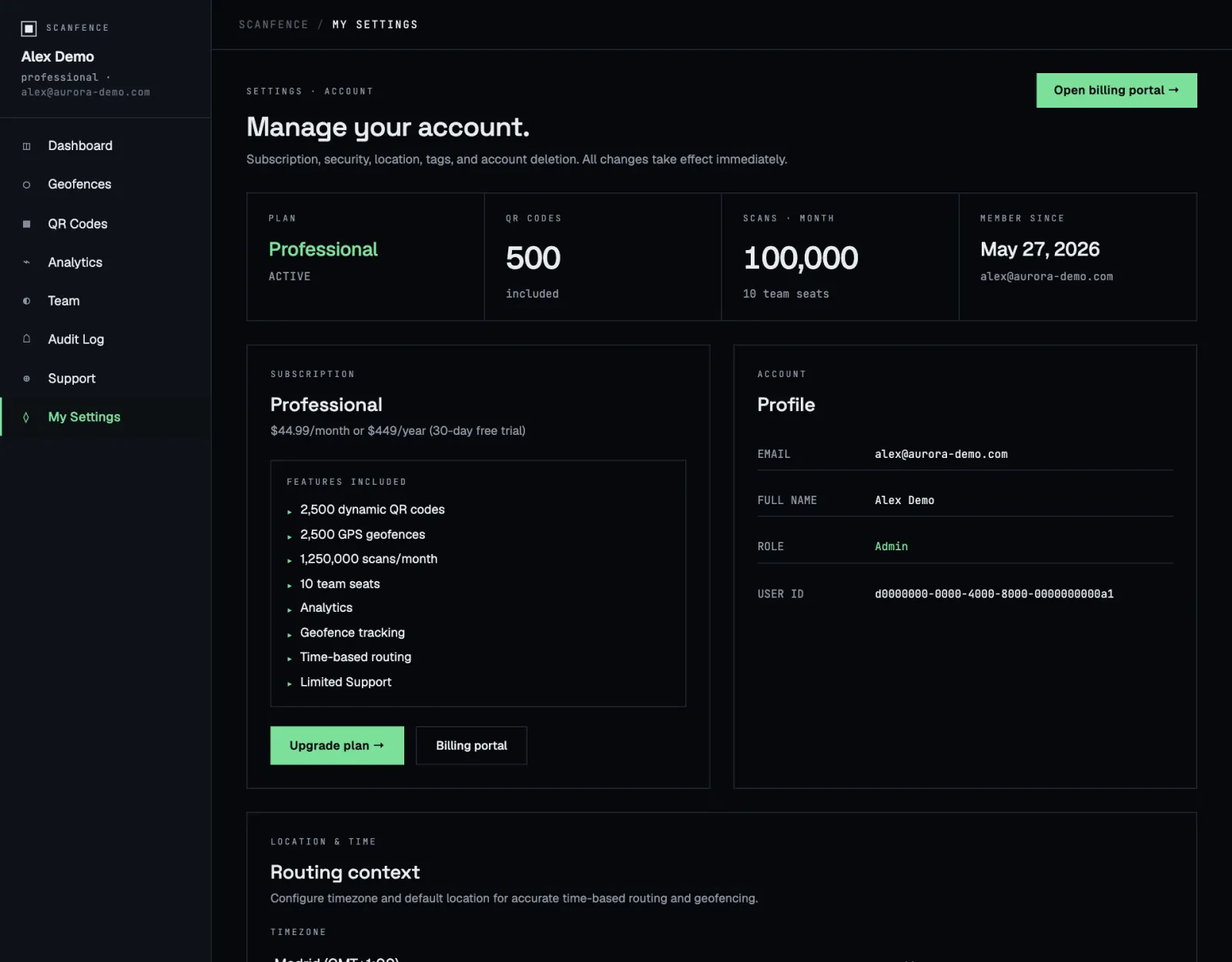
Plan and billing
The tiles at the top show your plan and its status, how many QR codes and scans per month it includes, your team seats, and since when you’re a member. The Subscription box lists everything your plan includes.
- Upgrade plan → shows the plans side by side.
- Open billing portal → or Billing portal takes you to our payment provider’s secure portal. There you change or cancel your plan, update your card and download invoices.
See Plans and limits for what each plan includes.
Profile
The Profile box shows your email, name, role and user ID. Quote your user ID when you contact us; it helps us find your account quickly.
Routing context
Under Location & time, pick your Timezone and, optionally, a Default location such as Vienna, Austria. Click Save settings →.
Change your password
Under Security, enter a New password twice (at least 6 characters) and click Change password →.
Forgot your password? On the sign-in page click Forgot password?, enter your email and follow the link we send you.
Tags
Create, rename, recolour and delete the tags you use to label codes. See Categories and tags.
Light or dark
Switch between Mission · dark and Instrument · light at the bottom of the menu. The app remembers your choice on this device.
Delete your account
In the Danger zone, click Delete my account →. The window lists everything that will be removed. Type DELETE to confirm.